
Water Purification · Singapore
How Do I Know My Water Purifier Is Working?
Use TDS readings, filter-life reminders and what you notice day to day to tell whether your RO purifier is doing its job.
Written by
Velta Singapore Editorial Team
Updated
Reading time
About 4 minutes
How we research
Editorial policy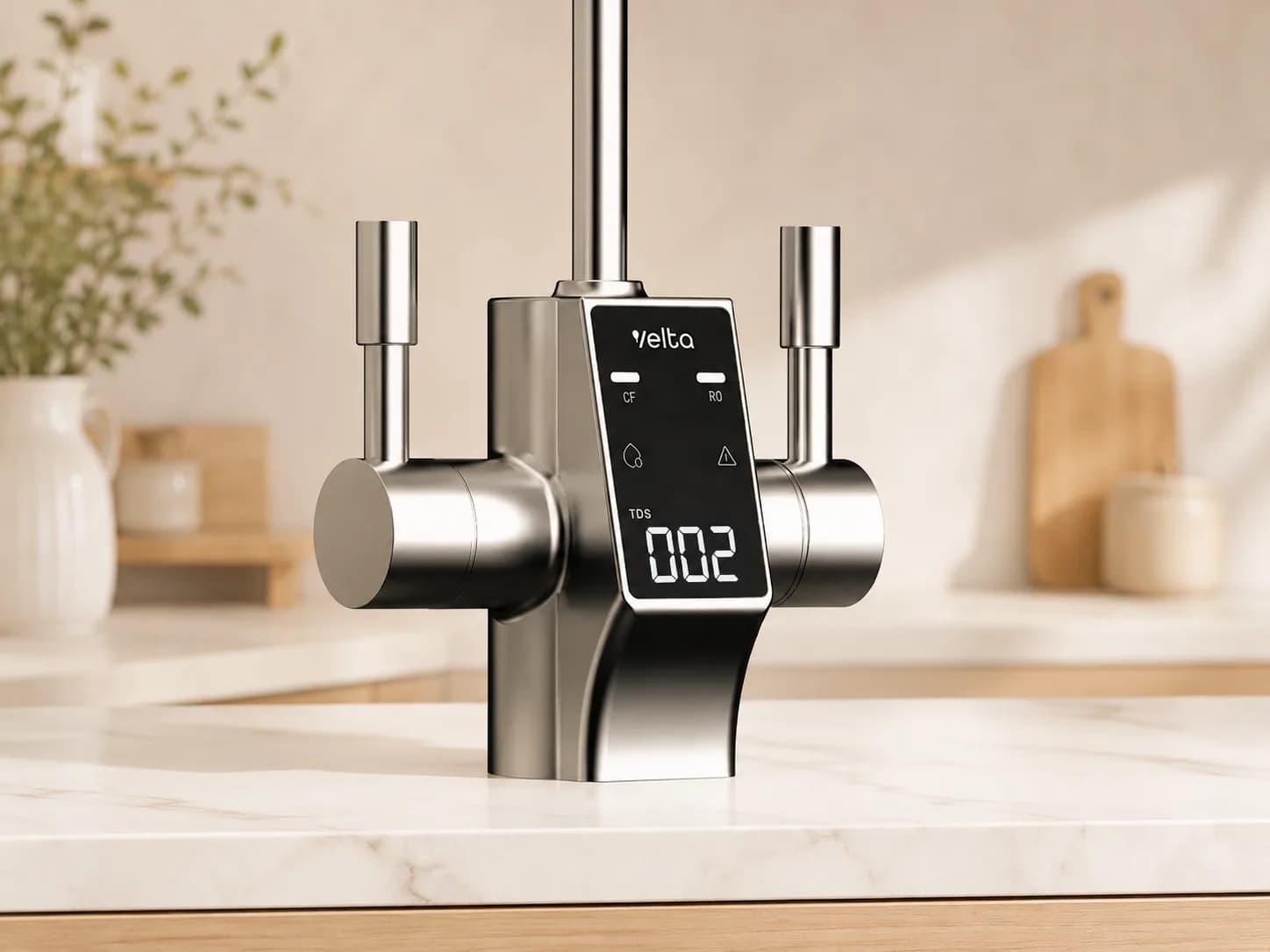
A water purifier does most of its work out of sight. The filters sit inside the appliance, water moves through sealed tubing, and the reverse-osmosis membrane is hidden inside its cartridge.
A modern RO purifier shows you what it is doing: a TDS reading, a filter-life countdown, and the way it behaves day to day.
Start With the TDS Reading
TDS stands for total dissolved solids. An RO membrane reduces dissolved material as water passes through it, and the TDS reading on the display is a quick way to see the membrane at work.
Get to know your purifier's normal reading. Source water, temperature and how recently it was used all nudge the number, so what matters is that yours stays steady, not that it hits some universal figure.
If the reading jumps or sits unusually high, check the filter status and run the rinse cycle. If it stays high, contact Velta Singapore and we will look into it.
Keep Filter Life in View
Every filter has a working life. Velta purifiers track cartridge use and tell you on the display when a filter is due.
Replace the filter when the purifier prompts you, or when it reaches its rated litres or months, whichever comes first:
Scroll to see the full table
| Purifier | TDS display | Filter guidance |
|---|---|---|
| HydroSpark+ | One TDS value in settings | When prompted, or at 4,000 L / 24 months |
| HydroForm+ | One live TDS reading | One replacement filter; follow the appliance reminder |
| HydroView+ | Inlet and outlet TDS together at the faucet | When prompted, or at each filter's limit: CF at 4,000 L / 12 months; RO at 8,000 L / 24 months |
The purifier works out filter life from litres used and time elapsed, so a date you would otherwise forget is right there on the display.
Notice Everyday Changes
The display is only one check. Arrange service when:
- water flow becomes noticeably slower;
- taste or odour changes unexpectedly;
- the appliance displays a filter or fault alert;
- the purifier has sat unused for a while;
- a refill tank, drip tray or outlet needs cleaning.
After a long break, run the rinse or restart steps for your model. If your HydroSpark+ is in tank mode, empty and refill the tank with fresh water; plumbed-in models rinse themselves.
What Each Velta Purifier Shows
HydroSpark+
HydroSpark+ shows one TDS value in its settings menu, and the filter-life status tells you when the 4-in-1 cartridge is due.
HydroForm+
HydroForm+ shows live TDS and filter life as a percentage, and has an auto-rinse button. Follow its filter-life reminder when arranging a replacement.
HydroView+
HydroView+ shows inlet and outlet TDS together at the faucet. It also keeps the CF and RO cartridge status separate and flushes itself after sitting unused for a while.
A Simple Routine
- Check the TDS reading occasionally and learn what is normal for your purifier.
- Follow the filter-life indicator instead of relying on memory.
- Replace each cartridge when the purifier says so, or when it hits its rated litres or months.
- Run the rinse cycle after a filter change or a long break.
- If an odd reading, a change in flow or an alert does not go away, contact Velta Singapore.
The RO membrane does the filtering, the display lets you see it working, and the reminder tells you when a cartridge is due.
Compare the Velta water purifier range or view replacement filters and servicing.
Frequently Asked Questions
Does every Velta purifier show TDS?
Yes. HydroSpark+ shows one value in settings, HydroForm+ shows a live TDS reading, and HydroView+ displays inlet and outlet readings together.
Should the TDS number always stay exactly the same?
No. Source water, temperature and recent use can move the reading. A steady normal range matters more than any single number. A sharp or lasting change is worth looking into.
When should I replace the filter?
When the purifier prompts you, or when the cartridge reaches its rated litres or months, whichever comes first.
What should I do after a holiday?
Follow the model's rinse or restart instructions before returning to normal use. If your model has a tank, empty it and refill with fresh water, then let the purifier finish its rinse cycle.
Next step
Compare the products for your home.
Velta Singapore sells some of the products discussed in this article. Compare what they do, how they install and what they cost to run against the other products in the guide.
Velta prices are live from our Singapore store. Competitor prices, promotions and availability can change. Filters and any installation work add to the total cost over time.